
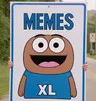
- Best at 1024×576
First generation may take a bit longer.
Details
- Type
- Model
- Base model
- SDXL
- Size
- 6.5 GB
- Price per use
- Free
Text is bigger in version 1.1 than 1.0 so use both. Read description for instructions. Made for text, not turbo speed. Half Memes XL and half Turbo SDXL. Checkpoint file name: memesXLTurbo_v11.safetensors [1fece3d924]
Create better text with Memes XL Turbo! Please read the instructions below for the best results. Recommended settings: Sampling method: DPM++ 2S a (Uniform) 30 steps CFG: 3 - 4.6 Shape: 576x1024 or 1024x576 Upscaler: R-ESRGAN 4x+ Hires: 1080x1920 or 1920x1080 or 1.875x 8 - 30 steps upscale Denoising: 0.2 - 0.6 No Refiner needed Recommended prompt format: Photo of grumpy old man in clouds with a text bubble that says "God Mode" Negative prompt: cartoon, anime, watermark, website address The text generates better when using this negative prompt. Introducing Memes XL Turbo! It is designed for better text on images and not as fast as other turbo checkpoints. Turbo checkpoints are capable of generating better quality text and images with higher step counts than originally recommended. Not all sampling methods are compatible, but DPM++2Sa works great. It takes a lot longer with 30 steps and Hires upscale, but images have better quality text. This is the slowest Turbo SDXL checkpoint with these settings. This is not your average checkpoint. It is half Memes XL and half Turbo SDXL. The main goal was to create memes with text in SDXL using text to image without post processing or photoshop. This allows Ai to create text in its own way to surprise you with the results. Try to make people laugh and have some fun. Check out Memes XL and Bullet Time for previous versions and ideas. Please Donate $5 with Paypal on pumpkinsanta.com if you had fun with Memes XL Turbo. Thank you! Fine tuning tips and tricks for better text: Really low step counts have ugly text. With more steps it redraws and improves the text every so many steps. Denoising at higher than 0.5 can do this also when upscaling. Spell check is basically using CFG to fit "text in quotes". It may take a few tries and some adjustments in your prompt and CFG settings to get your desired image with the right text. Some longer words are very difficult to spell correctly. Use shorter words or try splitting